How to accept MTN Mobile Money and Orange Money payments on your website
The options for accepting mobile money online in Cameroon, how payment flows work, and what to plan before you integrate payments into a website or app.
Mobile money is how most people in Cameroon pay. If your website or app sells products, collects fees or takes bookings, letting customers pay with MTN Mobile Money or Orange Money can dramatically increase how many people complete a purchase.
This guide explains the options and the key decisions, without the jargon.
Two ways to integrate mobile money
1. Directly with each operator
MTN and Orange both offer developer programmes and APIs for collecting payments. Going direct can mean lower fees at scale, but it usually involves:
- A business registration and a commercial agreement with each operator
- Separate integrations, credentials and testing for each network
- Handling each operator’s reconciliation and support processes
This route tends to suit larger organisations with high payment volumes and technical staff.
2. Through a payment aggregator
Aggregators connect to several operators (and often card networks) and give you one API, one dashboard and one settlement. Several aggregators operate in Cameroon and Central/West Africa, for example CinetPay, Campay and NotchPay. Compare them on:
- Supported methods: MTN MoMo, Orange Money, cards, other countries
- Fees per transaction and for withdrawals/settlement
- Settlement speed: how quickly money reaches your account
- Documentation and support: good docs save development time
- Requirements: business documents needed to open an account
For most small and medium businesses, an aggregator is the fastest and simplest way to start.
How a mobile money payment works
Whichever route you choose, the flow is usually similar:
- The customer chooses a product and taps Pay with Mobile Money.
- Your website sends a payment request to the provider with the amount and the customer’s phone number (or redirects to a hosted payment page).
- The customer receives a prompt on their phone and confirms with their PIN.
- The provider notifies your server (a webhook) that the payment succeeded or failed.
- Your system marks the order as paid and sends a receipt.
The security rule you must not skip
Never trust the browser to tell you a payment succeeded. A customer (or attacker) can fake what happens in their browser. Always:
- Confirm the payment on your server, using the provider’s webhook and/or by querying the transaction status with your secret key.
- Keep API keys secret: never put them in website front-end code.
- Check the amount and currency in the confirmation match the order.
- Make your webhook handler idempotent so the same notification twice doesn’t create two orders.
Designing a payment screen people trust
The technical part is only half the job. Customers abandon payments when they feel unsure. Good payment UX includes:
- Clear total in XAF, with any fees shown upfront
- Logos of accepted methods (MTN MoMo, Orange Money, cards)
- A simple instruction: “Check your phone and enter your PIN to confirm”
- A waiting state that doesn’t time out too quickly; mobile confirmations can take a moment
- A clear success screen, a receipt by SMS/email/WhatsApp, and a transaction history
What to prepare before development
- Your business registration documents (needed by most providers)
- A decision on which methods you need on day one
- Your refund and failed-payment policy
- Who will reconcile payments and how often
Conclusion
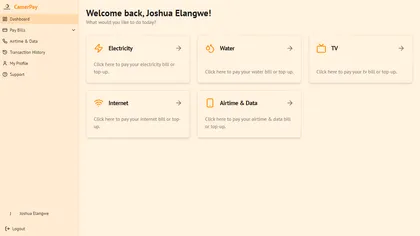
Accepting mobile money online is very achievable for Cameroonian businesses today. Start with an aggregator, verify every payment on the server, and design a payment screen that reassures customers. If you’re building a platform that needs payments, like our CamerPay bill-payment project, we can help you plan and build it.